
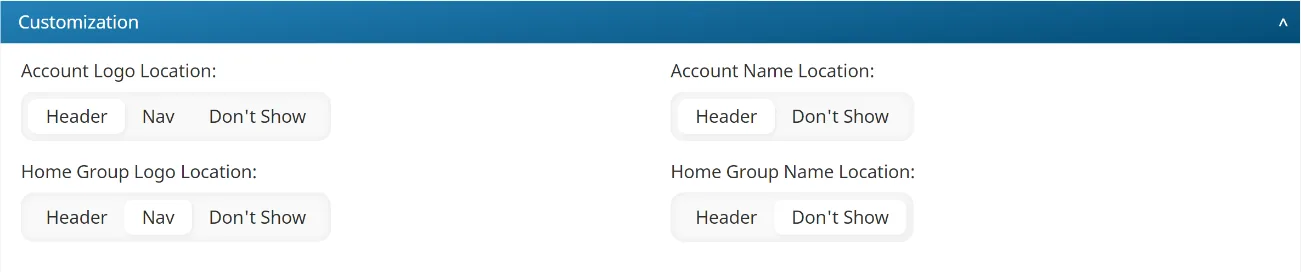
These dashboard set settings are located in the Customization accordion of the Add/Edit Dashboard Set workscreen.
Settings
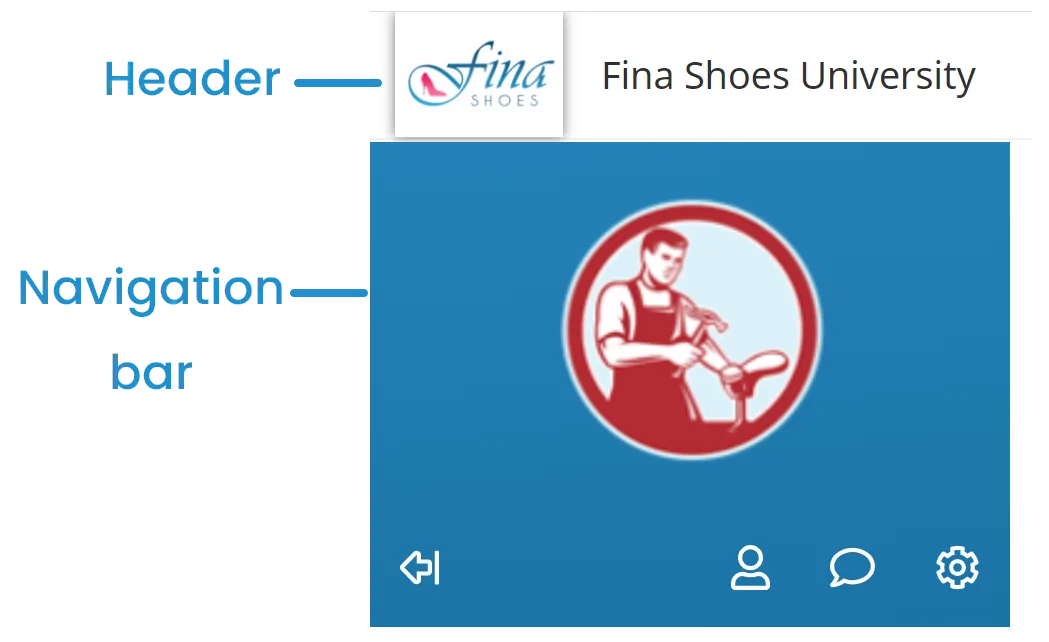
The following image shows the location of a logo in the header vs. the navigation bar.
Account Logo Location
Select where you would like the account logo to display:
- Header - The account logo displays in the header.
- Nav - The account logo displays at the top of the navigation bar.
- Don't Show - The account logo is not displayed.
Home Group Logo Location
This setting is only available when the account's Enable Home Group Branding setting enabled.
Select where you would like the home group logo to display:
- Header - The home group logo displays in the header.
- Nav - The home group logo displays at the top of the navigation bar.
- Don't Show - The home group logo is not displayed.
Account Name Location
Select where you would like the account name to display:
- Header - The account name displays in the header.
- Don't Show - The account name is not displayed.
Home Group Name Location
This setting is only available when the account's Enable Home Group Branding setting is checked.
Select where you would like the home group name to display:
- Header - The home group name displays in the header.
- Don't Show - The home group name is not displayed.
Was this article helpful?
Your answer helps us improve the Success Center.