
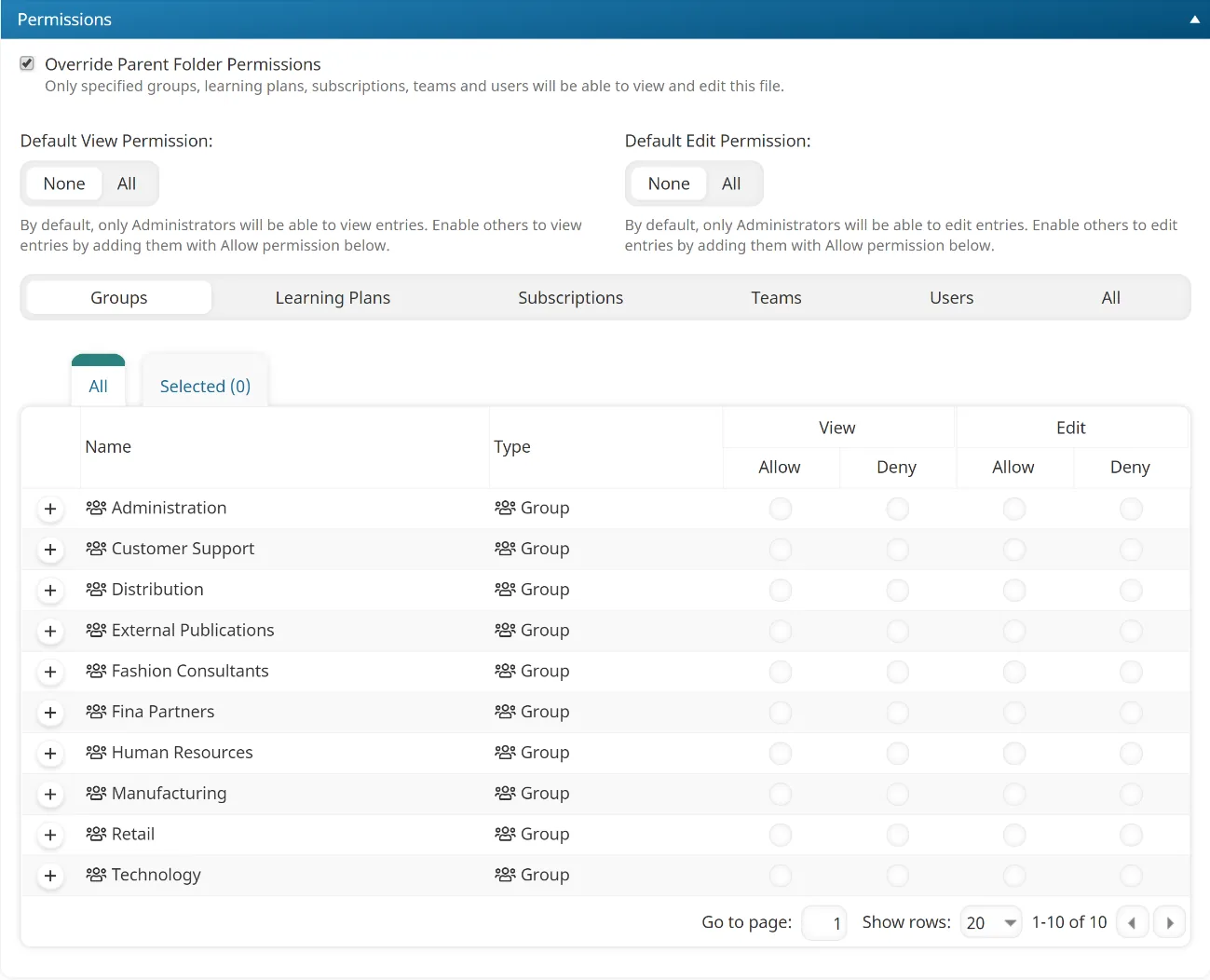
A knowledge base file's permission settings are located in the Permissions accordion of the Add/Edit File workscreen.
Settings
Override Parent Folder Permissions
By default, a knowledge base file inherits the permissions of its parent folder. Check this checkbox if this file should have different permissions than the parent folder.
Default View Permission
This setting is only available if the Override Parent Folder Permissions setting is checked.
None - Only administrators will be able to view this knowledge base file. You may allow specific groups, learning plans, subscriptions, teams, or users to view the file by selecting the View - Allow checkbox for the group, learning plan, subscription, team, or user.
All - All users will be able to view this knowledge base file from the learner interface. You may deny specific groups, learning plans, subscriptions, teams or users from viewing this file by selecting the View - Deny checkbox for the group, learning plan, subscription, team, or user.
Default Edit Permission
This setting is only available if the Override Parent Folder Permissions setting is checked.
None - Only administrators will be able to edit this knowledge base file. You may allow specific groups, learning plans, subscriptions, teams, or users to edit this file by selecting the Edit - Allow checkbox for the group, learning plan, subscription, team, or user.
All - All users will be able to edit this knowledge base file. You may deny specific groups, learning plans, subscriptions, teams, or users from editing this file by selecting the Edit - Deny checkbox for the group, learning plan, subscription, team or user.
Was this article helpful?
Your answer helps us improve the Success Center.