
The Discussion Forums Dashboard enables you to view and manage discussion forums.
Who Has Access
Administrators and owners have access to the Discussion Forums Dashboard.
Viewing the Discussion Forums Dashboard
To view the Discussion Forums Dashboard:
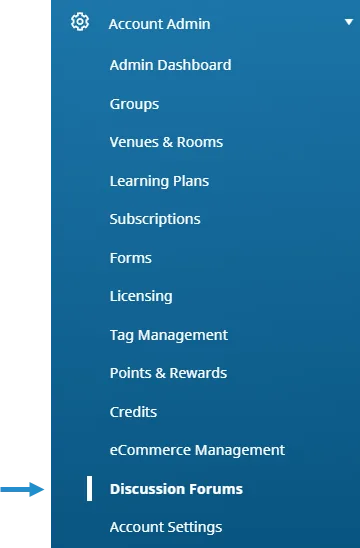
- From the Admin menu, select Account Admin.
- Select Discussion Forums.
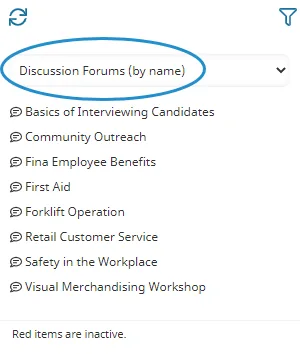
The Discussion Forums Dashboard displays. By default, the Discussion Forums (by name) list option is selected.
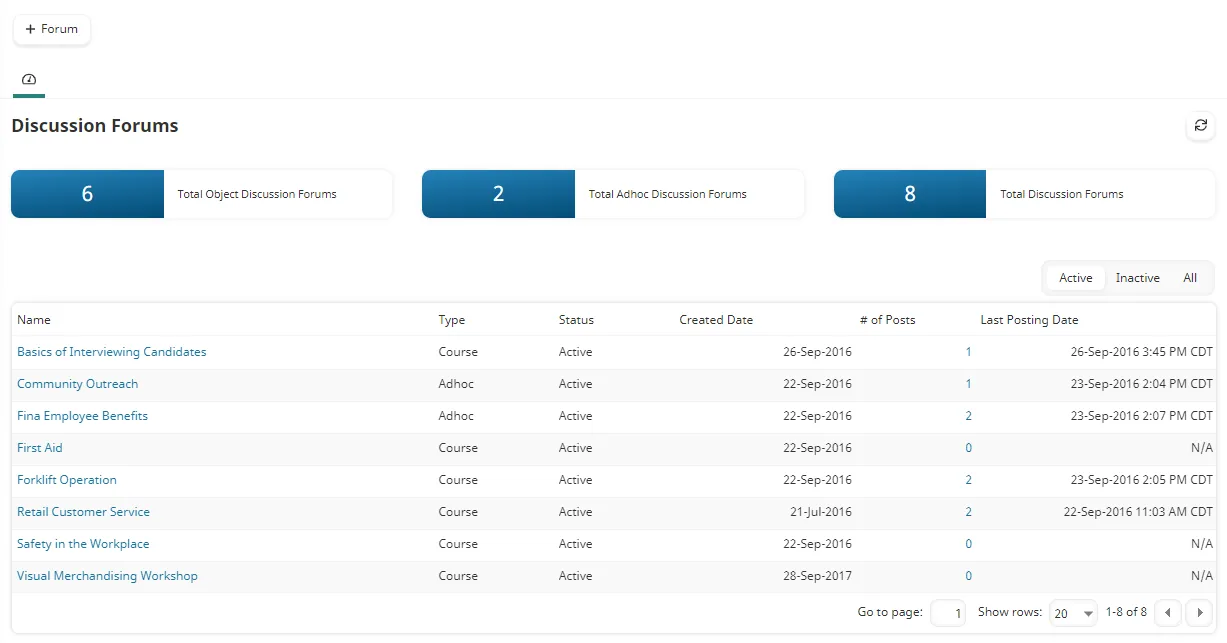
The right pane displays a grid that displays all discussion forums and a summary of forums.
Columns in the Grid
The columns of the Discussion Forums Dashboard's grid are described below.
| Column | Description |
|---|---|
Name | |
Type | The discussion forum type (i.e., Adhoc, Course, or Session) |
Status | The status of the discussion forum (i.e., Active, Inactive). |
Created Date | For adhoc discussion forums, this is the date that the forum was added. For course or session discussion forums, this is the date that the Enable Discussions setting was first enabled for the course or session. |
# of Posts | The number of comments that have been added to the discussion forum. |
Last Posting Date | The date the last comment was added to the discussion forum. |
Was this article helpful?
Your answer helps us improve the Success Center.