In the world of corporate training, there are times when you want a learner to acknowledge that they’ve read, understood, or agreed to specific terms. It’s that crucial bridge between delivering information and ensuring accountability.
Whether you need a learner to sign an agreement before viewing sensitive material or confirm they’ve read and understood procedures they just learned, you can include these acknowledgments directly into your training workflow.
While these methods are excellent for tracking training, they may not meet the requirements for legally binding electronic signatures. Always consult your legal department for high-stakes agreements.
Let’s look at three different scenarios:
Want SmarterNews delivered to your inbox? Subscribe today!
Scenario 1: Pre-Course Agreements
Sometimes, you want to prevent access to your training until a learner agrees to certain terms. The most effective way to handle this in SmarterU is to create a "gatekeeper" course: an online course that includes a single-question quiz asking the learner whether they agree to the terms of the agreement. You then set this "gatekeeper" course as a prerequisite for your other training.
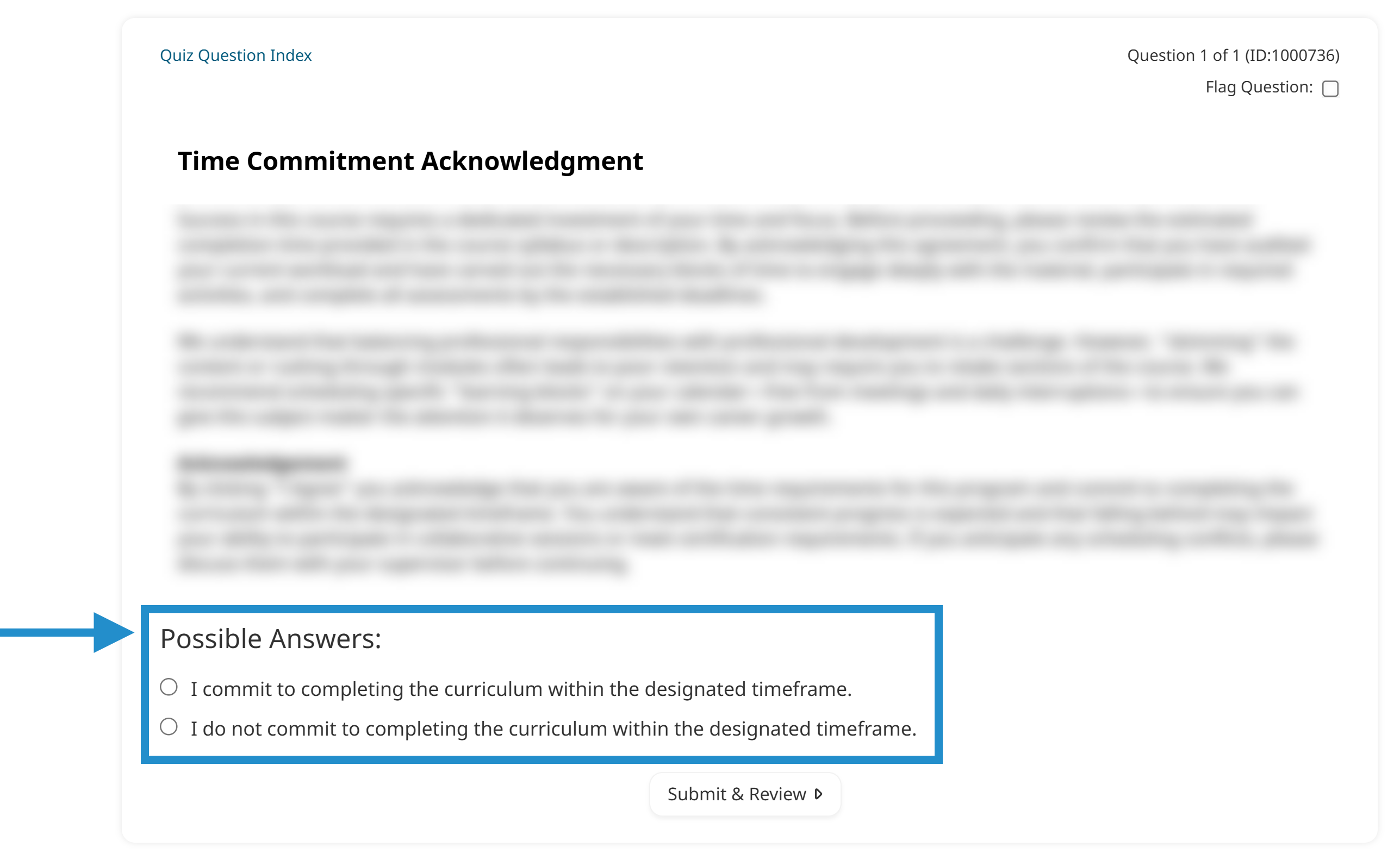
When the learner agrees, they pass the course and can continue to their training. If they reject the agreement, they fail, and SmarterU prevents them from accessing any courses that require the agreement.
Check out our Obtaining Learner Acknowledgements article for details on setting up a pre-course agreement.
Scenario 2: Post-Course Affirmations
Let’s look at another scenario. What if you want the learner to complete their training first, then confirm they will apply what they’ve learned? This is called a post-course affirmation and is perfect for safety procedures, codes of conduct, or policy updates.
In this scenario, you can add a one-question quiz to the end of your training, presenting the information the learner needs to agree to. If this is the only quiz in the course, the learner must click agree to complete the course.
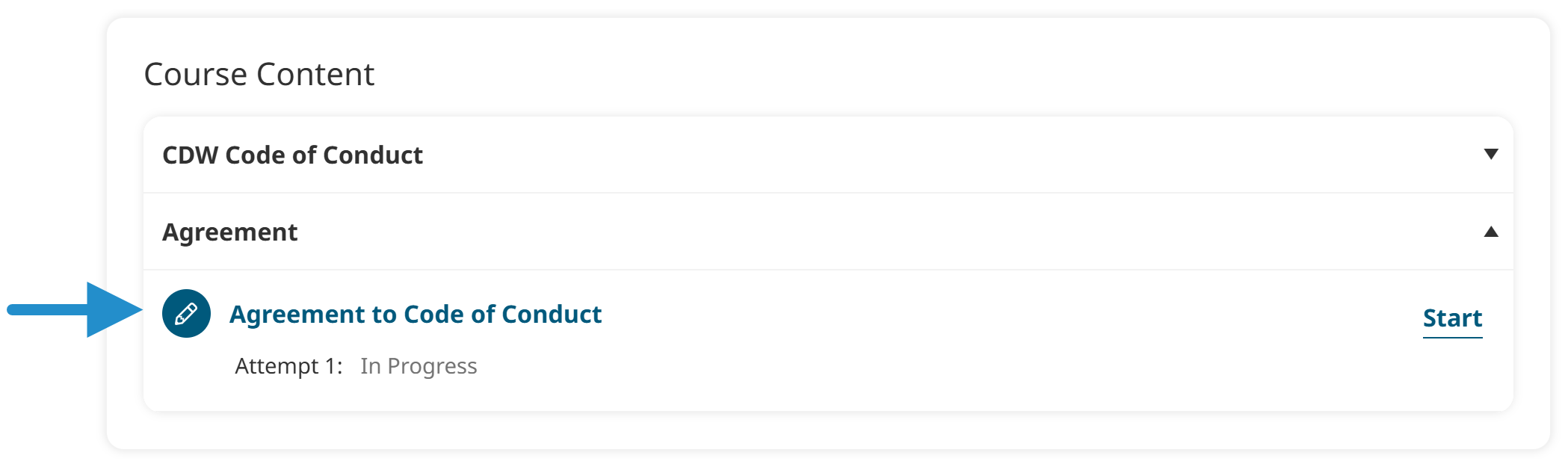
Check out our Obtaining Learner Acknowledgements article for details on setting up a post-course affirmation.
Scenario 3: Confirmed File Uploads
What if you want a learner to sign a document or submit some other form of acknowledgment? For example, maybe you want them to agree to the company’s code of conduct. In this scenario, you can add an action to a learning plan requiring learners to upload a specific file, such as a completed form or checklist.
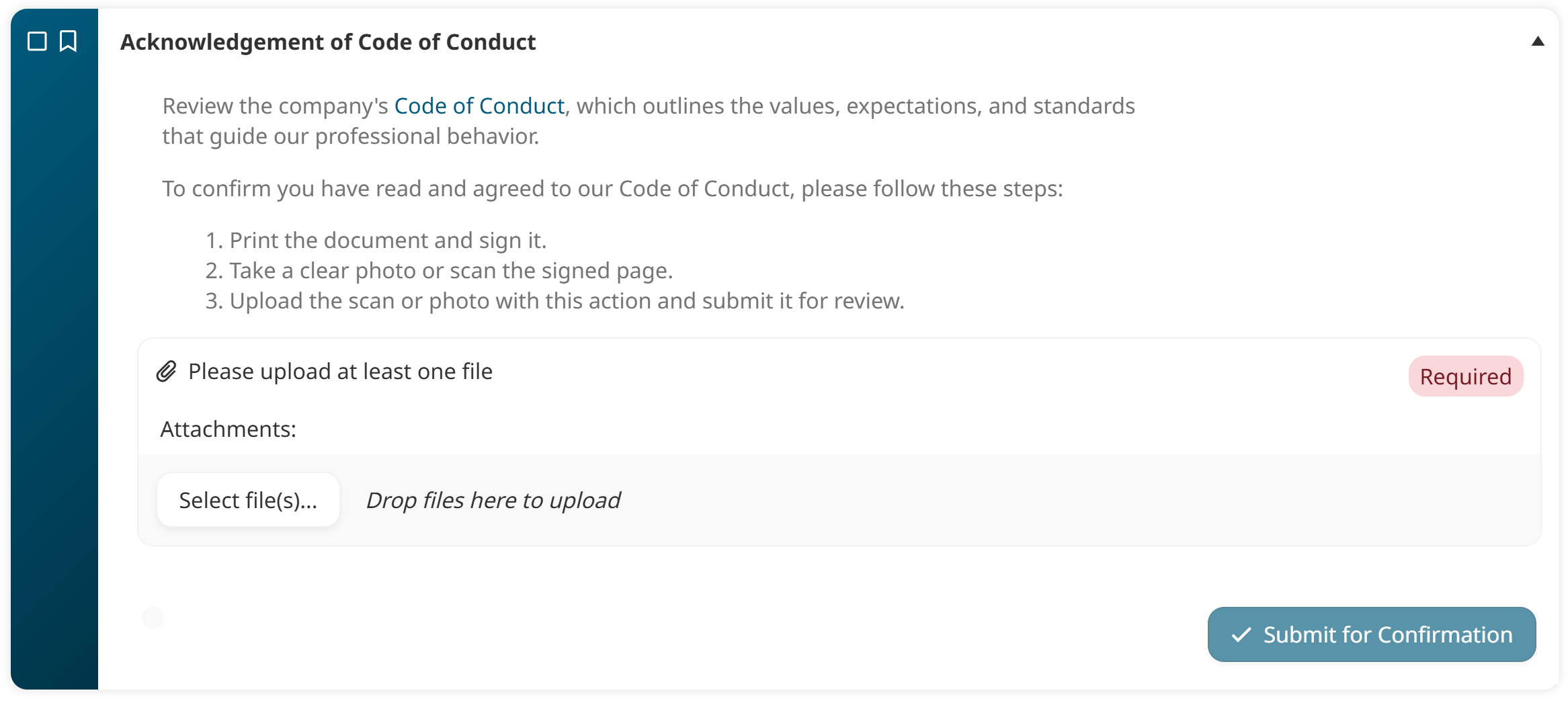
You can then require an administrator, supervisor, or another designated user to review the action’s uploaded file and confirm it. If the learner doesn’t complete the action, their learning plan will not be considered Met.
Check out our Obtaining Learner Acknowledgements article for details on setting up an action that requires a file upload.
Whether it’s a one-question "gatekeeper" course, ending a course with an affirmation, or using an action for file uploads, SmarterU gives you the tools to support your organization’s accountability needs.
Questions? Contact our Success Desk.