Nobody should be stuck at a login screen when they have training to complete. But when your learners can’t remember their username and password to access SmarterU, that's exactly what can happen. The good news is that SmarterU's single sign-on (SSO) feature can remove that barrier entirely.
Single sign-on (SSO) allows your team to access multiple applications, including SmarterU, with a single set of credentials. For example, if your organization already uses a tool like Okta or Microsoft Entra ID, your people can simply log in to their corporate profile to reach everything they need. There are no extra usernames or passwords to remember. Just one click, and they’re in.
Want SmarterNews delivered to your inbox? Subscribe today!
Why SSO Matters for Your Learners
The biggest benefit for learners is simplicity. When your team doesn't have to remember a unique password for their LMS, they're more likely to actually log in and complete their training. We've all been there: you try to sign in, can't remember which password you used, reset it, get distracted, and suddenly that training module sits untouched for another week. SSO takes that entire cycle off the table.
SSO can also streamline onboarding. Picture a new hire on their first day with a full schedule of training waiting in SmarterU. Without SSO, they'd need to find a welcome email, locate their login credentials, and create yet another password. With SSO enabled, they can simply access SmarterU from their company portal or use their corporate credentials on the SmarterU login page.
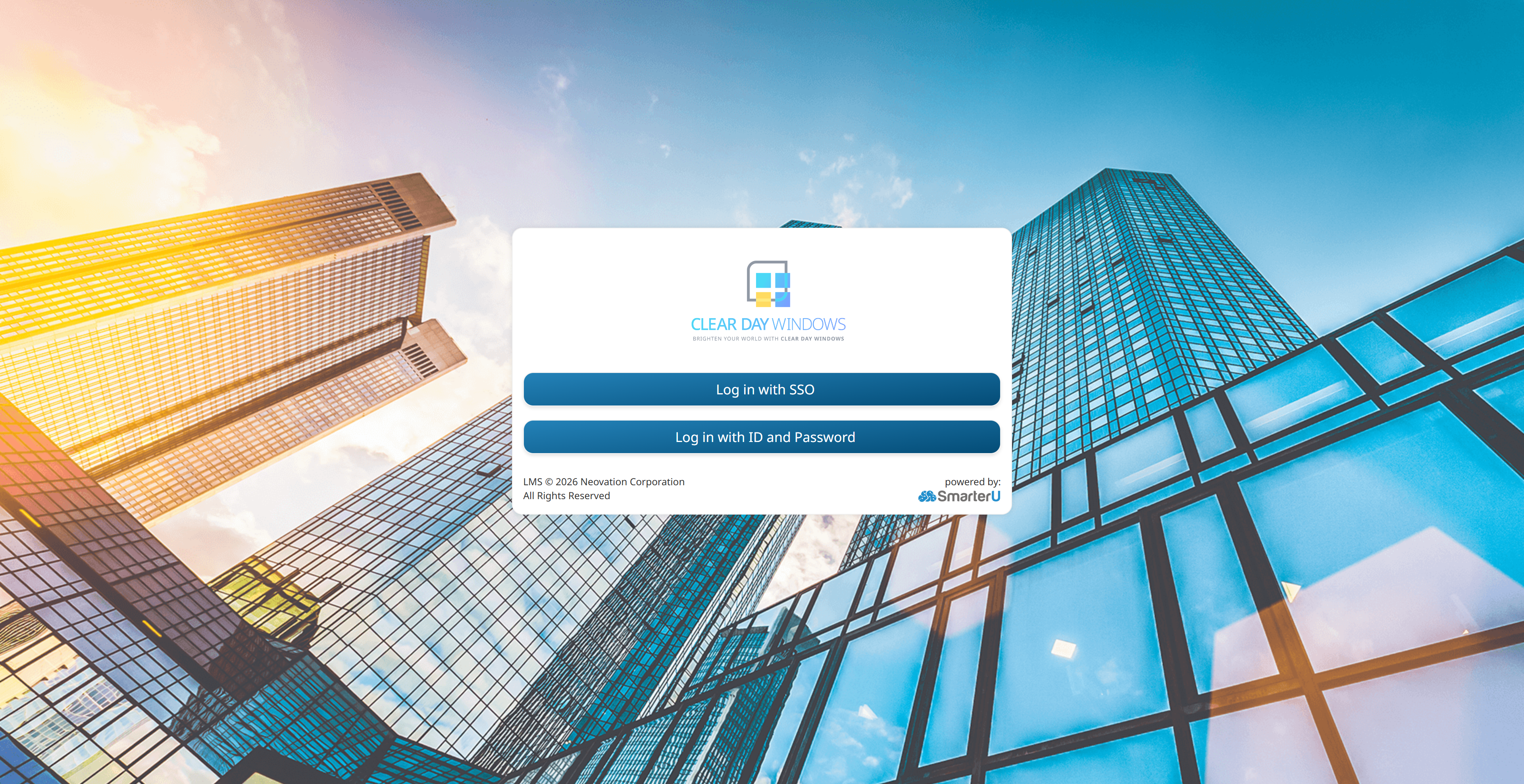
Either way, they land right on their Learner Dashboard, ready to start. That's the kind of first impression that sets the tone for a great learning experience.
Having one consistent login process is especially helpful for organizations with a large or distributed workforce. Whether your team members are in the office, out in the field, or working remotely, they can access SmarterU the same way they access their email and other daily tools.
Why SSO Matters for Admins
From your perspective as an admin, SSO simplifies day-to-day management. When logins are handled by your organization's identity provider (the system that manages your team’s access to corporate tools), you spend less time answering 'I forgot my password' emails. Your IT team maintains control over who has access, and when someone leaves the organization, disabling their company account automatically removes their ability to log in to SmarterU. That means one less thing to worry about during offboarding.
Further, because logins are handled through your identity provider, your organization's existing security policies also apply to SmarterU access. That includes features such as password requirements and multi-factor authentication.
SSO also pairs well with SmarterU's just-in-time user creation feature. With just-in-time provisioning, a new user account is automatically created in SmarterU the first time someone logs in via your SSO provider. Instead of manually creating each learner's account before they can start training, the system handles it for you. It's one less task on your plate and one less delay for your learners.
Setting Up SSO
Setting up SSO in SmarterU is a two-part process. First, enable external authorization in your account settings to allow logins from outside systems. Then, configure your specific identity provider to work with SmarterU. The details of this second step depend on which provider your organization uses.
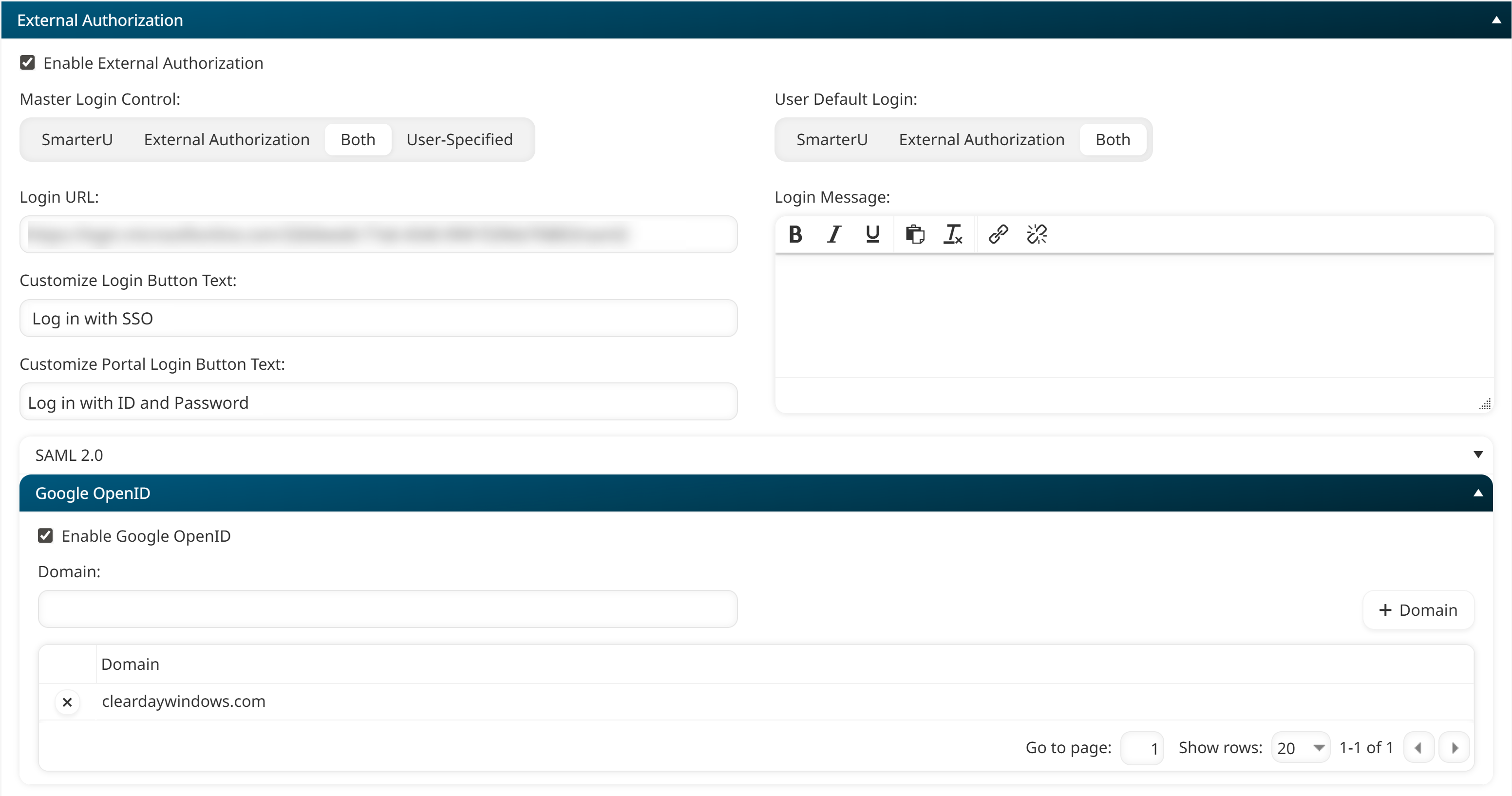
SmarterU supports a wide range of providers, including Microsoft Entra ID, Okta, Google OpenID, Active Directory Federation Services, Salesforce, and others.
You can find the full list of tested providers, along with step-by-step setup instructions for connecting them to SmarterU, on our External Authorization (SSO) help page. Other providers that support SAML 2.0 may also be compatible.
Setting up SSO requires some coordination between you and your IT team, but the payoff is well worth it. Your learners get a smoother path to their training, you handle fewer login headaches, and your organization gets tighter control over account access. It's the kind of behind-the-scenes improvement that makes a real difference in the day-to-day experience for everyone involved. Give it a try and see how removing the login barrier can help your learners get to what matters most: their training.
Questions? Contact our Success Desk.