As an LMS administrator, it's essential to guide your learners through their training and help them feel prepared for each new step. However, manually tracking whether someone finished background reading, submitted signed forms, or passed introductory courses takes time away from your other priorities.
SmarterU LMS simplifies this process with prerequisites. By adding a prerequisite to a course or task (known in SmarterU as an action), you tell learners what to complete first. Then, the system handles the progress tracking automatically, so you can focus on supporting your team rather than verifying individual steps.
Want SmarterNews delivered to your inbox? Subscribe today!
What are prerequisites?
Prerequisites act as automated gatekeepers for your training, ensuring team members complete necessary requirements before moving on to new material or tasks. Within SmarterU, prerequisites can include online courses, instructor-led sessions, SCORM modules, or actions.
For example, you can use prerequisites to ensure learners complete the Project Management Level 1 course before enrolling in Project Management Level 2. You can even choose whether they simply need to complete the introductory course or earn a passing score before moving forward.
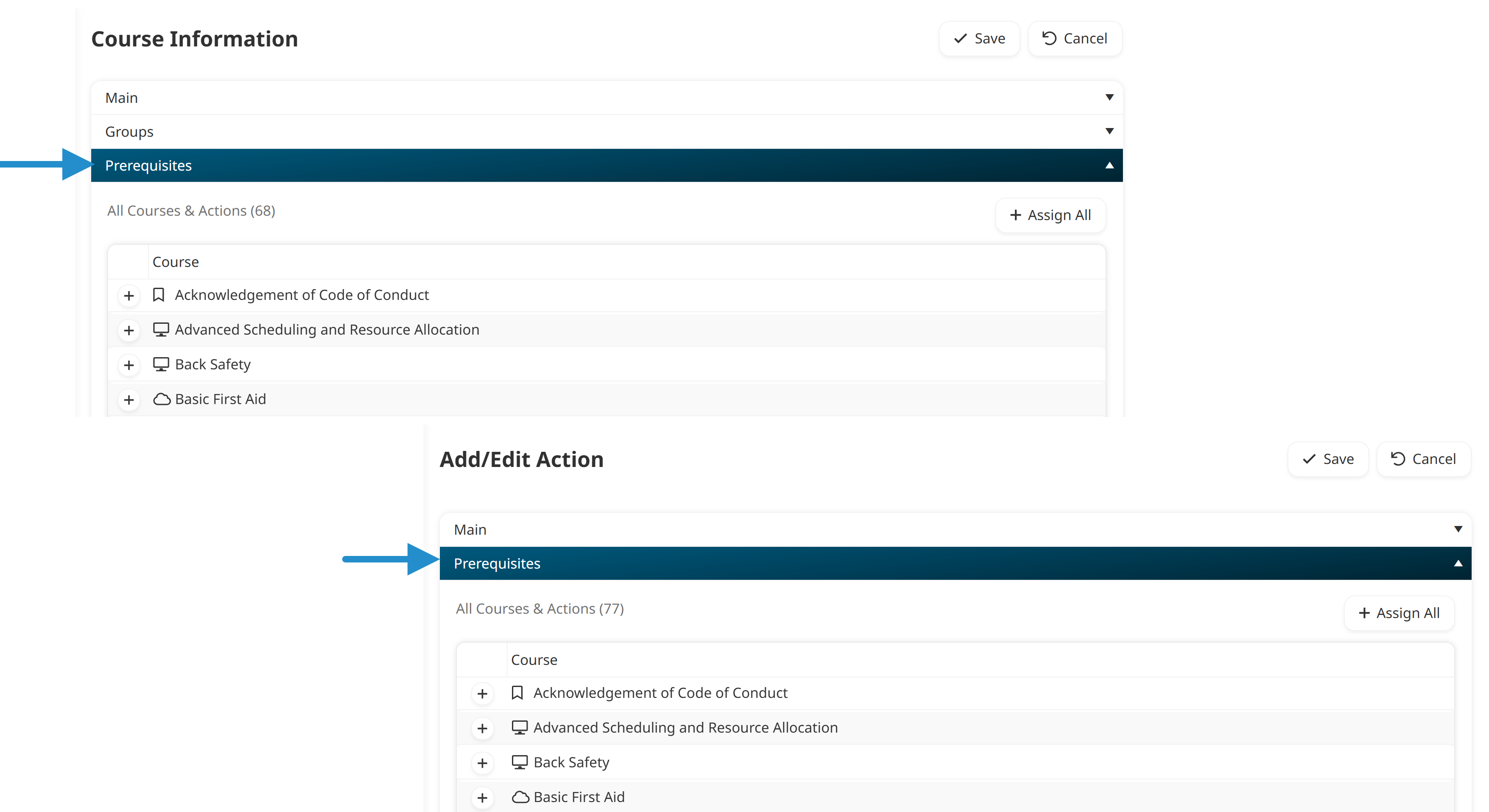
SmarterU makes this easy to manage. Whenever you create or edit a course or action, simply expand the Prerequisites accordion to select what a learner needs to finish first.
Why use prerequisites?
Using prerequisites brings clear benefits to both you and your team:
Automate access to training: Courses or actions automatically become available to learners as soon as they complete the required steps.
Build skills step by step: Help learners master basic concepts before moving on to advanced topics.
Track pre-course tasks: Connect essential steps, such as signed waivers or supervisor sign-offs, directly into your online training flow.
Provide clear guidance: Give learners visibility on what they need to finish next so they can move forward with confidence.
Let's look at three ways you can put prerequisites to work.
Track Pre-Course Tasks
Sometimes a learner needs to finish a task, such as submitting a form or reviewing background material, before starting a course. With a prerequisite in place, learners know exactly what to do first, and the course unlocks automatically the moment they finish.
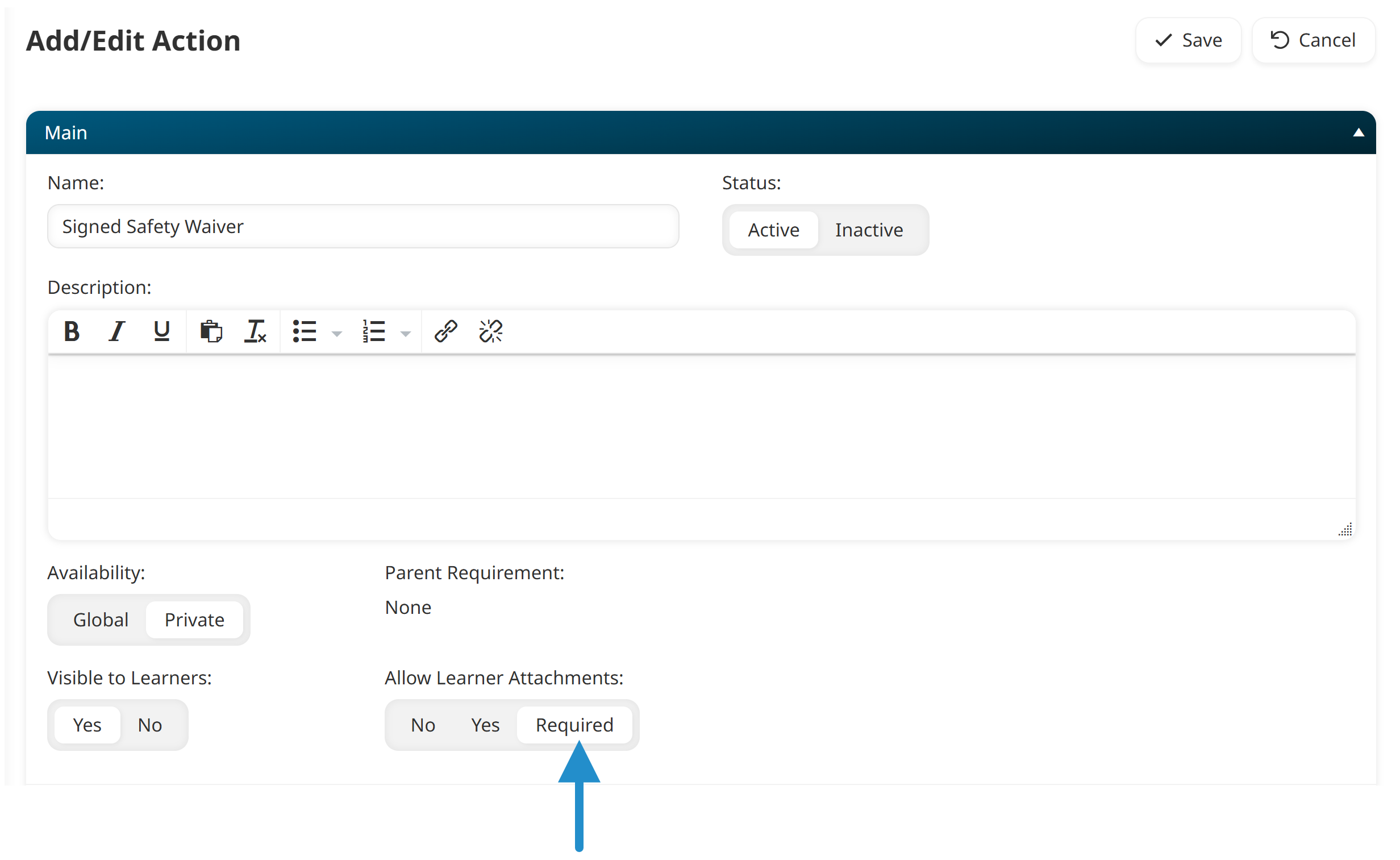
For example, suppose you need employees to upload a signed safety waiver before starting the Forklift Safety course. In SmarterU, you can create a Signed Safety Waiver action that requires an attachment from the learner (i.e., the signed waiver) and requires manager approval.
You would then add the Signed Safety Waiver action as a prerequisite to the Forklift Safety course.
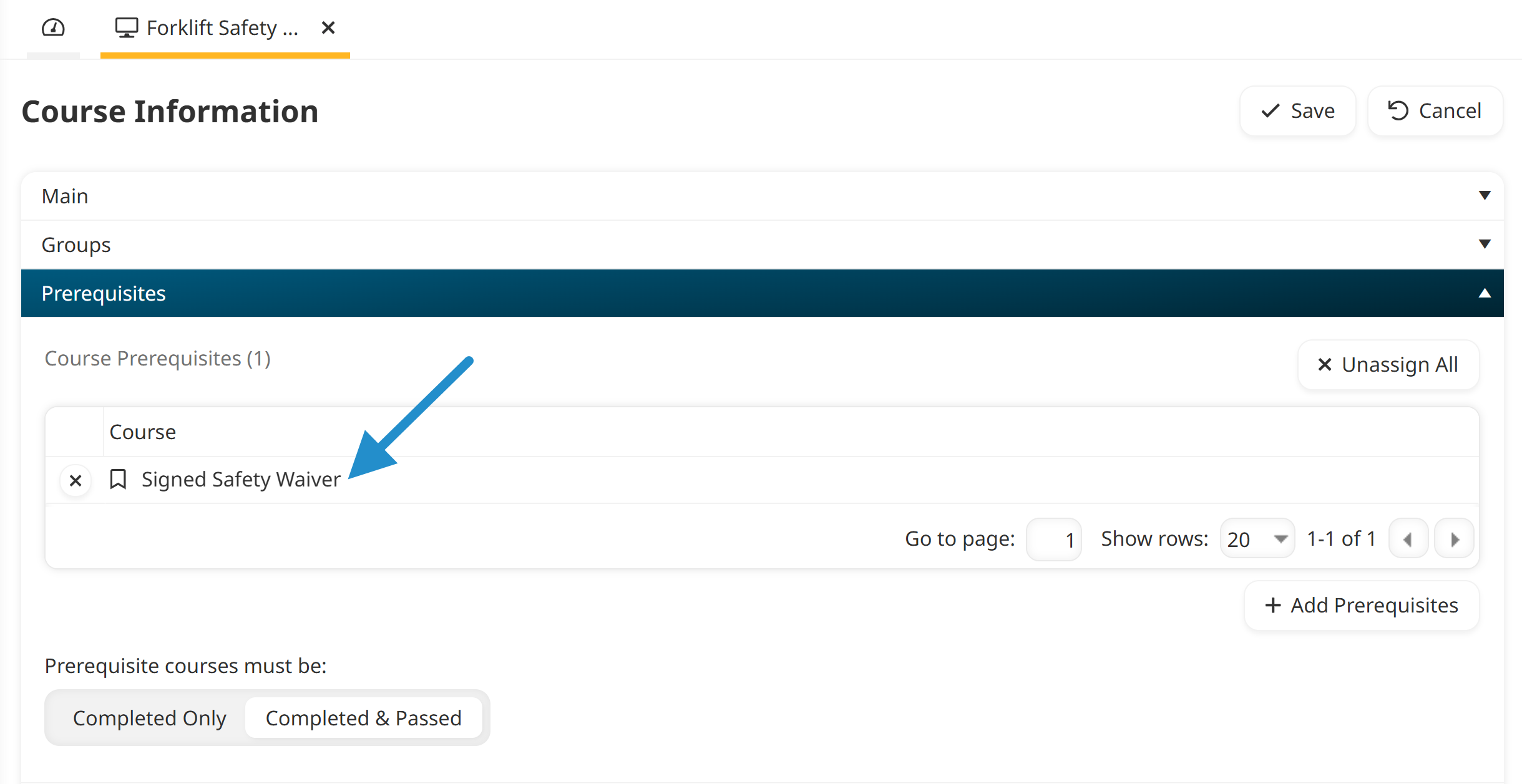
Once the learner submits the waiver and the manager confirms it, SmarterU unlocks the Forklift Safety course so they can continue their training.
Prepare Learners for Advanced Courses
Jumping straight into advanced topics can overwhelm learners. Instead, use prerequisites to sequence your courses so that each one builds on learners' existing skills. By scaffolding their knowledge, you ensure learners arrive at the advanced material with a strong foundation and the information they need to succeed.
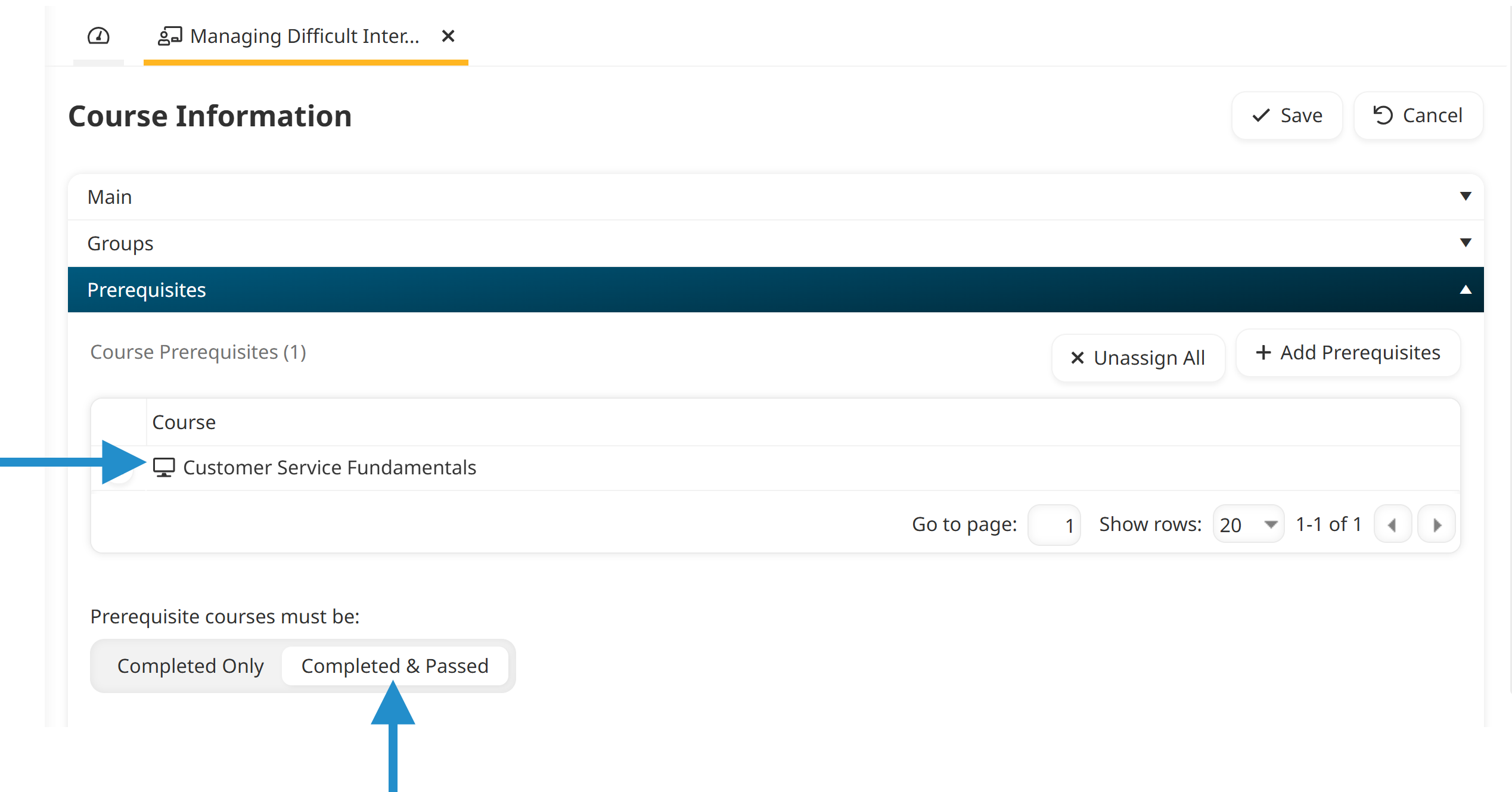
For example, imagine your customer service training starts with a Customer Service Fundamentals course and builds toward a more advanced Managing Difficult Interactions course. In this scenario, you'd add Customer Service Fundamentals as a prerequisite to Managing Difficult Interactions. You can even set the completion criteria so learners need to pass the foundational course, not just finish it, before they can start the advanced one.
Create Structured Onboarding Steps
Onboarding new team members often involves combining course learning with specific practical tasks. Laying those steps out in order gives new hires a clear sense of what to do next during a week when everything feels new. It also means you do not need to manually confirm each step before the next one opens.
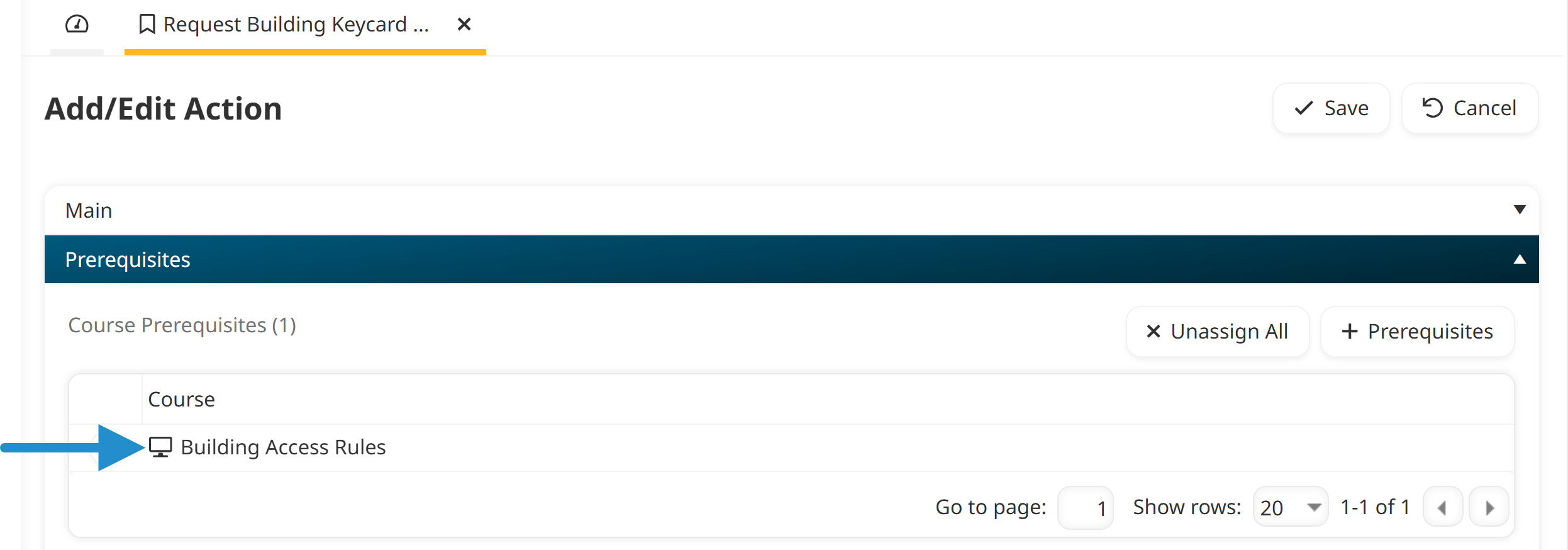
For example, consider an onboarding process where new hires must learn the rules for accessing your building's secure areas before requesting a keycard. In this situation, the course (Building Access Rules) is a prerequisite to the Request Building Keycard action.
When onboarding involves a series of multiple courses and actions, consider setting up a learning plan. With a learning plan, you can group all of the courses and actions your new hires need into a requirement and assign the entire set at once. You can still add prerequisites to courses and actions within a learning plan, so the two work together.
Streamline Your Training Today
Prerequisites give you a simple, automated way to guide learners through their development. Whether you are collecting signed agreements, preparing learners for advanced material, or guiding new hires through onboarding, prerequisites keep your training running smoothly.
Questions? Contact our Success Desk.