The Enrollments Dashboard enables you to perform many functions that are related to users' course and subscription enrollments. These include:
- Enrolling users in courses and subscriptions
- Viewing and enrolling users based on recommended enrollments
- Unenrolling users from courses
- Viewing the enrollment history for a group
- Viewing the recommended courses for groups and learning plans
- View webinar registrations
- View the Unenrollments workscreen
- Viewing the Enrollment Report for an enrollment status or for a group's enrollment history
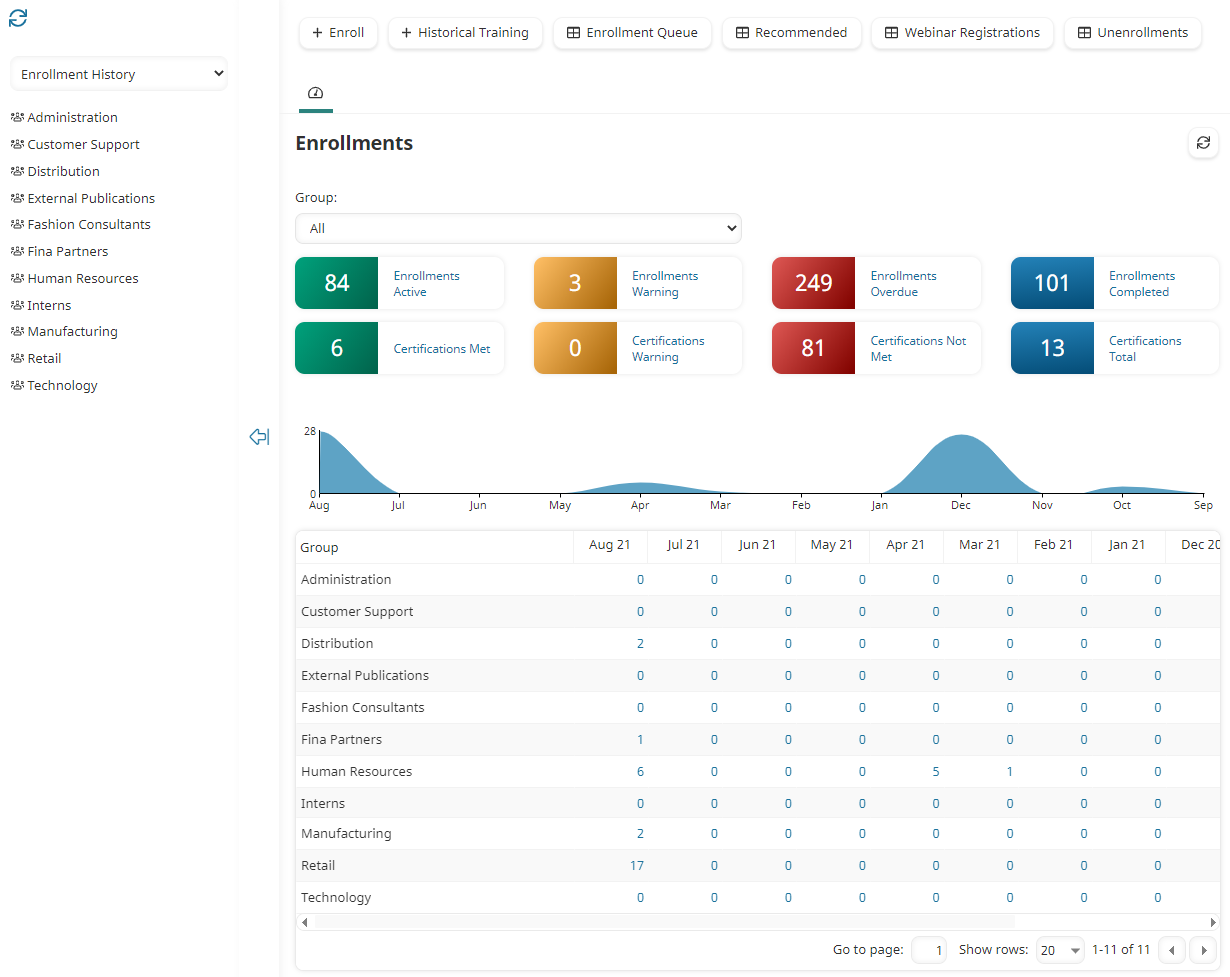
Who Has Access
The following users have access to the Enrollments Dashboard:
- Users with the Group Manager or Manage Group Users group permission.
- Supervisors, if the account's Supervisor Access setting's Enroll Supervisees option is checked.
- Administrators or owners.
Viewing the Enrollments Dashboard
To view the Enrollments Dashboard:
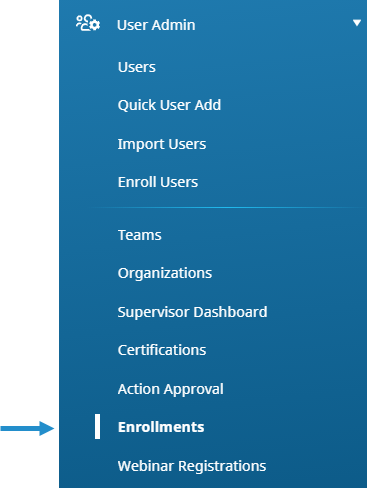
- From the Admin menu, select User Admin.
- Select Enrollments.
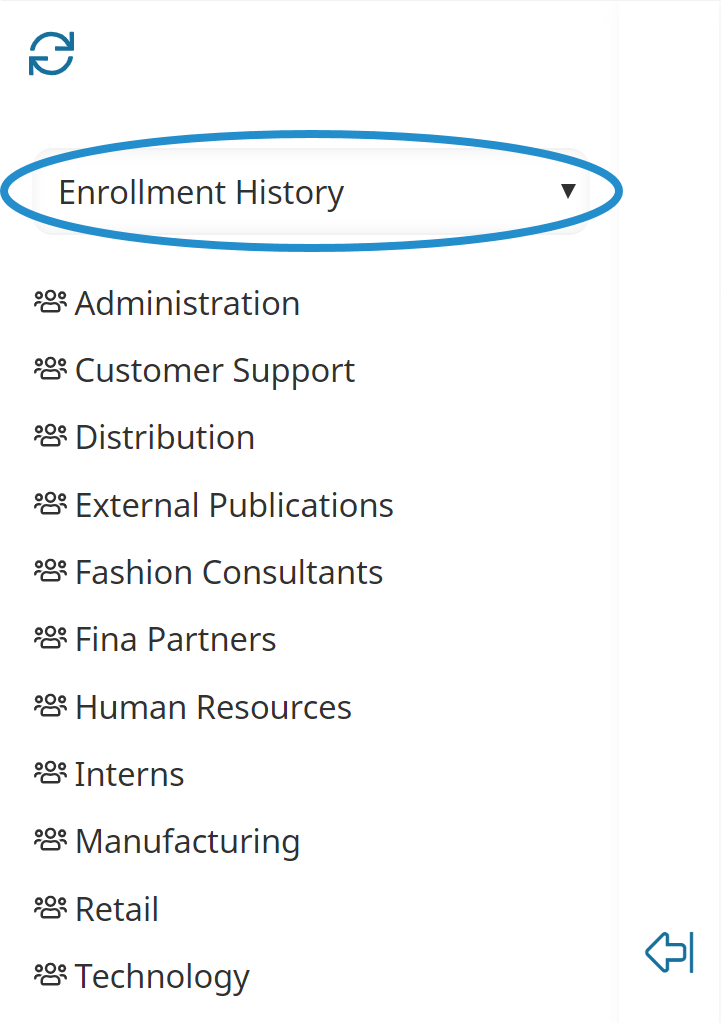
The Enrollments Dashboard displays. By default, the Enrollment History list option is selected.
The right pane displays a grid summarizing enrollments for each group by month. Above the grid is a summary of enrollments and a summary of certifications.
Refer to Dashboards for more information on refreshing and filtering the Enrollments Dashboard.