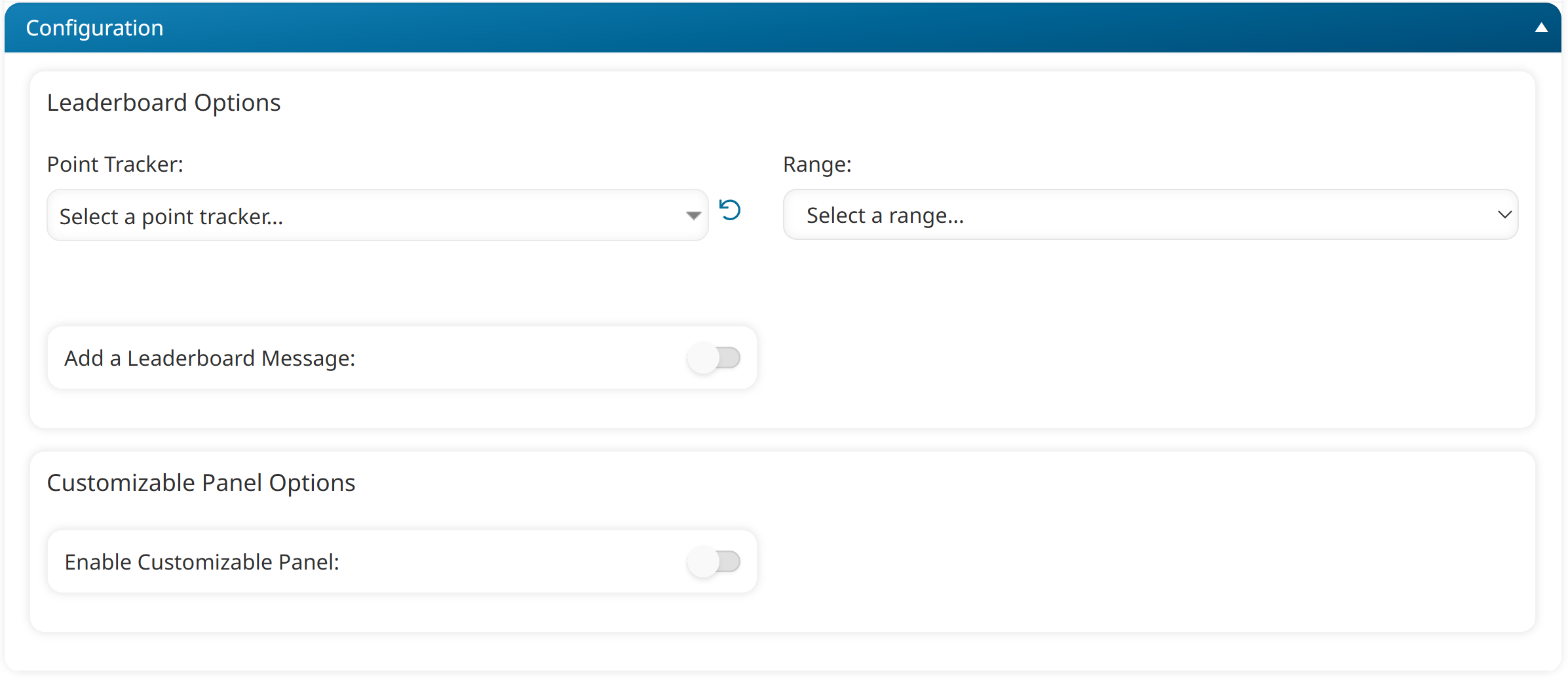
These dashboard set page settings are only applicable if the page's Type setting is set to Point Total. These settings are located in the Configuration accordion of the Add/Edit Category Page workscreen.
Settings
Point Tracker
The point trackers to include in the widget. Click the  beside the point trackers you want to include in the widget. Click
  to reset the list and de-select any point trackers.
Range
The date range to include in the page.
Previous Day(s) - Includes points earned during the selected number of days prior to today. Points earned today are not included.
Week(s)-to-Date - Includes points earned during the current week (i.e., range is set to 0). You may include prior weeks by increasing the range. A week is from Monday-Sunday.
Last Week(s) - Includes points earned during the selected number of weeks prior to the current week (i.e., range is set to 1). A week is from Monday-Sunday. Points earned during the current week are not included.
Month(s)-to-Date - Includes points earned during the current month. You may include prior months by increasing the range.
Last Month(s) - Includes points earned during the selected number of months prior to today (i.e., range is set to 1). Points earned during the current month are not included.
Year-to-Date - Includes points earned during the current year.
Last Year - Includes points earned during the previous year.
Date Range - Includes points earned from the selected start date to the selected end date.
Custom User Fields - Includes points earned within the date range of the custom user fields that you select. Only custom user fields with a date data type will be available.
Add a Leaderboard Message
If enabled, you can add a message to the page.
Leaderboard Message
This setting is only applicable when the Add a Leaderboard Message setting is enabled.
Enter the message to display on the page.
Enable Customizable Panel
If enabled, a panel displays on the page where you can enter any information you want to provide to learners.
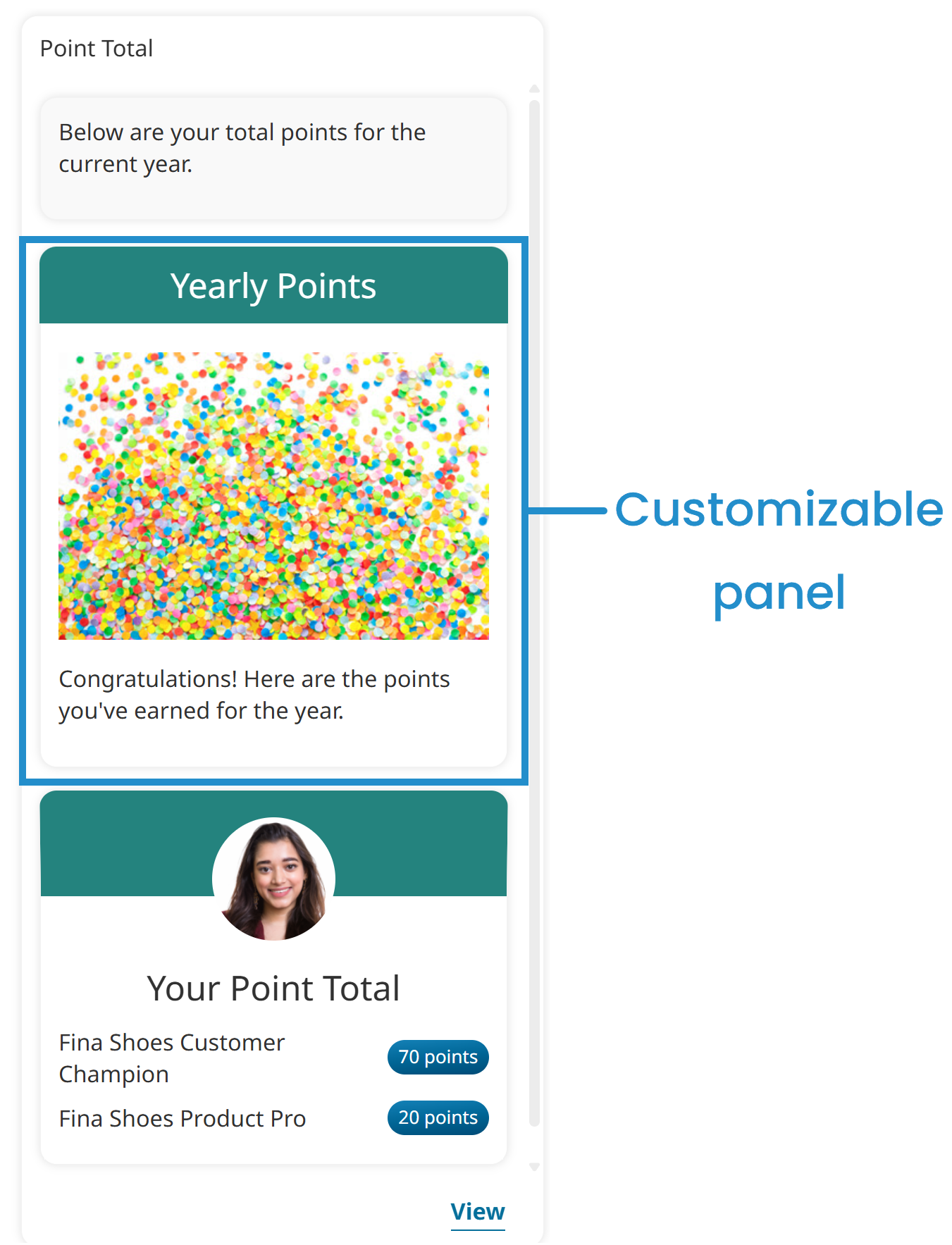
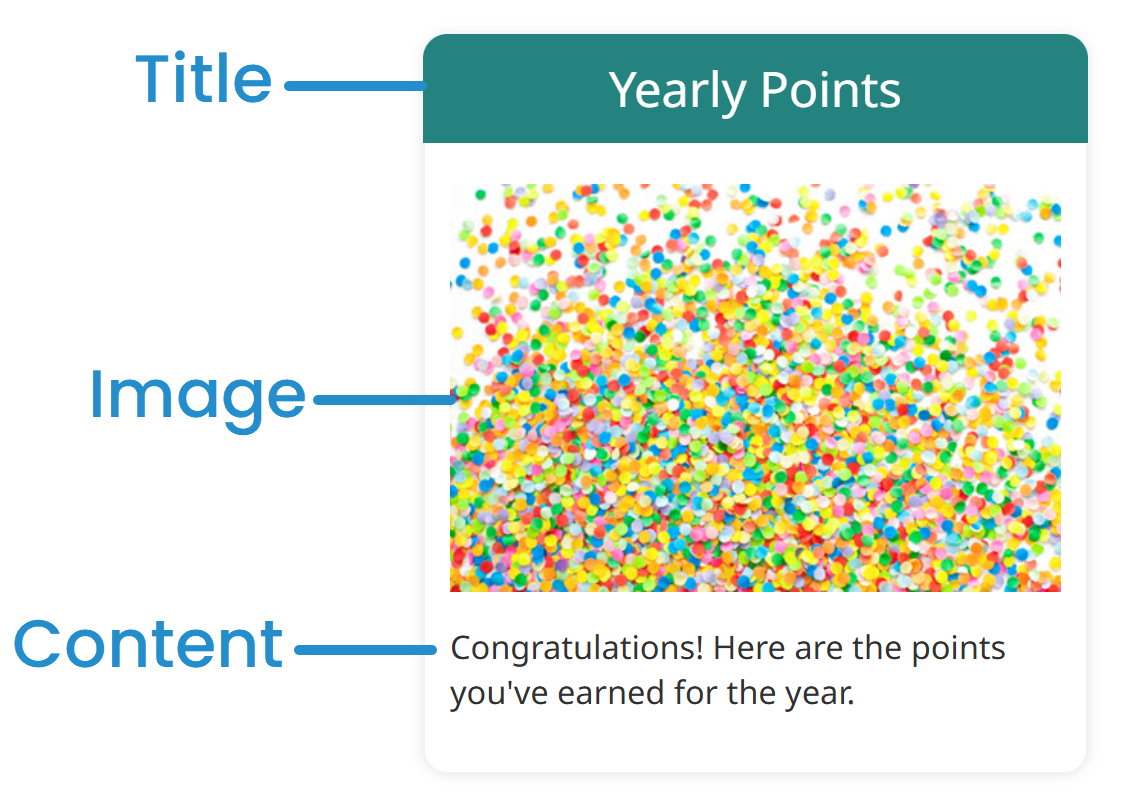
After enabling the setting, you can enter the title, provide an image, and enter the content for the customizable panel.
Title
This setting is only applicable when the Enable Customizable Panel setting is enabled.
Enter the title for the customizable panel.
Image
This setting is only applicable when the Enable Customizable Panel setting is enabled.
If you would like to display an image in the customizable panel, click Upload to select the image.
Content
This setting is only applicable when the Enable Customizable Panel setting is enabled.
Enter the text for the customizable panel.